
St. Luke's
St. Luke's University Health NetworkMedical
4.3628.00 Reviews
- Version
- 11.7.2
- Installs
- 100.00K
- Age Rating
- Everyone
Screenshots
Our Review of St. Luke's
 Analysis by Appyee
Managing healthcare is rarely difficult because of one dramatic task. The friction usually comes from small jobs spread across different places: finding the right contact, checking an appointment detail, remembering where to look for a result, or trying to handle an administrative question while already feeling unwell. St. Luke’s is designed to bring that relationship with St. Luke's University Health Network into one mobile starting point. I found it most useful when I treated it as a practical doorway to my healthcare rather than as a replacement for a clinician.
This is a free medical app from St. Luke's University Health Network, available for Everyone and supported on devices running iOS 11 or later. It has been available since August 31, 2017, and its current version is 11.7.2. With more than 100K installs and a 4.3 average from roughly 1.5K ratings, it has clearly become a familiar tool for many people connected with the network. Those figures do not tell me whether it will fit every patient, though. The more important question is whether your healthcare already runs through St. Luke’s and whether you want a single mobile place to begin.
What to consider before making it your healthcare shortcut
Before making this your everyday route into care, I’d weigh how often you use St. Luke’s and whether a phone-based routine genuinely helps you. The useful test is not how polished a healthcare app feels on day one, but whether it makes the next ordinary task easier without becoming another account to manage. That distinction leads to where St. Luke’s earns its place.
Your relationship with St. Luke’s comes first
The first decision is simple: do you actually use St. Luke’s University Health Network? If your doctors, appointments, or other care are connected to St. Luke’s, the app has a clear reason to be on your phone. If your healthcare is spread across several unrelated providers, its usefulness becomes narrower. A network-specific app can make one healthcare relationship easier while leaving the rest of your medical life elsewhere.
I would also think about the tasks you perform most often. Someone who mainly needs a quick way to stay oriented around St. Luke’s care may appreciate the convenience. Someone looking for a universal health organizer, a fitness tracker, medication coaching, or a broad symptom checker should look elsewhere. The app’s value comes from access to a particular healthcare network, not from trying to cover every health-related activity.
Convenience matters more than a long feature list
Healthcare apps are often judged by how many buttons they include, but I think the better test is whether they reduce hesitation. When I am tired, worried, or in a hurry, I do not want to remember which web page handles which task. A network app can be worthwhile simply because it gives me a recognizable place to start.
That convenience is especially relevant for people who manage care for a family member. The person using the phone may not be the person receiving treatment, and the practical challenge is often keeping track of the next step rather than understanding every medical detail. St. Luke’s can be a useful companion for that kind of routine coordination, provided the user has the appropriate connection to the network and understands that mobile access does not replace direct communication when something is urgent.
Separate routine access from medical advice
I would not use this app as a substitute for emergency help or professional judgment. A mobile healthcare portal is best for ordinary administrative and care-management needs. If a situation feels urgent, the right response is to use the appropriate emergency service or contact a clinician directly, not to spend time searching through an app.
This distinction also helps set realistic expectations. The app may make it easier to reach the right part of your healthcare experience, but it cannot make a difficult diagnosis simple or turn a non-urgent question into an immediate answer. I liked it more when I viewed it as an access tool: useful for getting organized, less suitable as a source of reassurance when symptoms need expert assessment.
Check the practical fit of your phone and habits
Because the app requires iOS 11 or later, compatibility is not a concern for most modern iPhones, but it is still worth checking before planning around it. The more important fit is behavioral. If you rarely use your phone for healthcare and prefer calling a clinic, the app may add another step rather than remove one. If you already keep your phone nearby and want healthcare information available during the day, the mobile format makes more sense.
I also recommend setting aside a calm moment for the first setup rather than trying to do it in a waiting room. Healthcare accounts involve personal information, and rushing through sign-in or account recovery can turn a potentially convenient tool into a frustrating one. Once access is working, the benefit is having a familiar route ready before you actually need it.
Where St. Luke’s earns its place
For me, the case for keeping a dedicated healthcare app is strongest when it supports a recurring relationship rather than a one-off visit. A familiar starting point can reduce the mental effort of figuring out where to begin, especially when I’m preparing for care instead of reacting under pressure. The next question is where that focused convenience stops being enough.
A focused home for St. Luke’s patients
The strongest part of St. Luke’s is its focus. Instead of asking patients to piece together a healthcare relationship from general-purpose tools, it gives St. Luke’s users a dedicated mobile entry point. That focus is valuable because healthcare information feels more useful when it is connected to the organization actually providing the care.
For me, the difference is less about novelty and more about context. A generic calendar can remind me that I have an appointment, but it does not understand that the appointment belongs to my St. Luke’s care. A general notes app can store a question for a clinician, but it does not provide a healthcare-specific place to begin. The network app sits closer to the source of care, which can reduce the amount of mental sorting involved.
A realistic day-to-day scenario
Imagine that I am preparing for a week with several healthcare tasks. I need to check an appointment detail, remember a question for my care team, and make sure I know where to begin if an administrative issue comes up. Without a dedicated network app, I might search old messages, open a browser, check my calendar, and then wonder whether I am using the correct contact information.
With St. Luke’s installed, I can begin in one familiar place. That does not guarantee that every task will be completed instantly, but it changes the workflow: I am less likely to start with a random web search or an outdated bookmark. For a patient who regularly interacts with St. Luke’s, that small reduction in friction can be more meaningful than a flashy extra feature.
Useful for preparation, not just reaction
One of my favorite ways to use a healthcare app is before an appointment rather than during a crisis. I can think through what I need to ask, gather relevant information, and use the app as the starting point for checking the practical details of my care. This turns the phone into a preparation tool instead of something I open only after a problem appears.
A helpful habit is to keep a short list of questions in a separate private note, then use the St. Luke’s app when I need to connect those questions with an upcoming interaction. I would not assume that every note belongs inside the healthcare app, especially when the information is sensitive or when I want a long-term personal record. The useful trade-off is to let St. Luke’s handle the connection to the network while keeping my own preparation organized in a way I can understand.
The app’s credibility comes from its developer
Because St. Luke’s is developed by St. Luke's University Health Network, it feels more relevant to St. Luke’s patients than an unrelated health-management product. That relationship is the central reason to choose it. I am not installing it because it promises to manage every part of my wellbeing; I am installing it because it belongs to the healthcare organization I already need to navigate.
The app has also had time to mature since its 2017 release, and its current version is 11.7.2. I see that ongoing versioning as a practical sign that the product is maintained rather than abandoned. Still, an updated app is not automatically a perfect app. Healthcare workflows change, and the experience can depend on the user’s account, care relationship, and device as much as on the app itself.
Free access lowers the trial barrier
St. Luke’s is free, which makes trying it much easier. I do not have to decide whether a subscription is worth paying for before discovering whether it fits my routine. That matters in healthcare, where people may already be dealing with bills, appointments, and stress.
Free does not mean frictionless, however. The real cost can be time spent setting up access, learning where information lives, or switching between the app and other tools. I would judge it by the minutes and confusion it saves over several weeks, not by the download price alone. For an active St. Luke’s patient, that calculation is favorable. For someone who rarely interacts with the network, the benefit may be too small to justify another app.
Small workflow choices that improve the experience
I found three practical habits especially useful. First, I would install and test access before an appointment, not while sitting in the clinic. Second, I would use the app as a launch point for care-related tasks but keep a separate personal system for broader health notes, so the two purposes do not become confused. Third, I would review the app after a few real interactions rather than judging it from the first screen; the value appears when it becomes part of a repeated routine.
A fourth insight is to treat it as a coordination tool for conversations. Before contacting a healthcare team, I can gather the exact question, relevant timing, and any details I may otherwise forget. This does not make the response faster or change clinical priorities, but it can make my own communication clearer. That is a quiet advantage that a short store description would not reveal.
Where another type of tool may fit better
A network-specific app is not automatically the best home for every health task. If I need to organize care across providers, track personal wellness, or resolve a complicated question through conversation, a broader tool or direct contact may serve me better. Those alternatives are worth considering alongside the effort involved in changing an established routine.
General health apps offer broader coverage
If my main goal is tracking exercise, sleep, nutrition, symptoms, or daily habits across different providers, a general health app is likely a better match. St. Luke’s is not the tool I would choose as a complete personal health journal. Its strength is its connection to St. Luke’s, while a broader app may be more useful for information I generate myself every day.
The trade-off is focus versus breadth. A general app may collect more kinds of personal data, but it may not connect as directly to the healthcare organization I am trying to reach. I would choose based on the problem I am solving: network access points toward St. Luke’s; lifestyle tracking points toward a broader health platform.
The regular website may suit occasional users
Someone who visits St. Luke’s only a few times a year may prefer using the ordinary website or contacting the organization directly. Installing an app, keeping it updated, and remembering the sign-in route can feel unnecessary when the need is occasional. In that case, the app’s convenience may not outweigh the extra item on the phone.
On the other hand, frequent patients and caregivers may find the app easier to return to than a browser bookmark. The decision is not about which format is universally better. It depends on repetition. A tool used regularly can earn its place; a tool opened once every year may not.
Direct contact remains better for complicated situations
When a question requires explanation, nuance, or immediate attention, a phone conversation or direct clinical contact may be more appropriate. An app can organize the first step, but it cannot always replace a person who can ask follow-up questions and understand the full context.
I would also avoid expecting a mobile interface to resolve disagreements, confusing instructions, or sensitive care decisions on its own. In those situations, the app may help me locate the relevant starting point, but the important part is the conversation that follows. This is where a traditional alternative can be better: it offers human clarification instead of another screen to interpret.
People outside the network should probably skip it
If none of my healthcare is connected to St. Luke’s University Health Network, I would not choose this app merely because it is free or well rated. The rating of 4.3, based on around 1.5K ratings and 628 reviews, suggests a generally positive reception, but ratings cannot create a relationship with a healthcare provider I do not use.
This is also not the right choice for someone seeking a medical encyclopedia, a diagnostic chatbot, or a replacement for a primary care relationship. Those needs call for different categories of tools and, in some cases, a real clinician. St. Luke’s is most sensible when the network itself is part of the user’s healthcare routine.
The real cost of switching to a dedicated healthcare app
Switching tools costs more than the time it takes to install one: I also have to learn where things belong and decide which habits to keep. I’d make the transition gradually, testing access before relying on it and keeping personal reminders separate from network tasks. That small, deliberate approach helps clarify whether the app is saving effort or merely moving it.
Setup is the first investment
Switching from occasional browser visits to a dedicated app means changing a habit. I need to install it, confirm that my phone supports it, sign in, and become comfortable with the way it organizes access. None of that is unusual, but it can feel like too much when I am already managing a health concern.
My advice is to make the switch during a low-pressure moment. Open the app, confirm that I can reach the areas I expect, and then close it. I do not need to master every part on the first day. The goal is to remove uncertainty before the next appointment, not create a new project.
There may be a learning curve even when the app is simple
Healthcare apps have a particular kind of friction: the user may not know what a section is called, which organization controls a piece of information, or whether an issue belongs to the clinic, the network, or an insurer. A clean interface cannot eliminate those boundaries. I may still need to understand where a request belongs before I can complete it.
That is why I would keep realistic expectations during the first few uses. If I cannot find something immediately, I would not assume the app is broken. I would check whether I am looking for a network function, a provider-specific function, or a question that really needs direct contact. Learning that distinction is part of getting value from the app.
Privacy deserves deliberate attention
Any healthcare app deserves more care than a casual shopping or entertainment download. I would use a device lock, avoid leaving sensitive screens open in public, and think carefully before sharing access with another person. If I help a family member, I would make sure the arrangement respects the patient’s privacy and uses the proper account access rather than casually handing over my phone.
I also prefer to keep my own health notes organized with restraint. The app can be the place I use to reach St. Luke’s, while my personal notes remain limited to what I genuinely need. That separation reduces clutter and makes it easier to tell the difference between information supplied through the healthcare network and reminders I wrote for myself.
Switching back is easy, but the habit may still be useful
There is little reason to treat installation as a permanent commitment. If I try St. Luke’s and discover that the browser is more comfortable, I can return to that approach. The more interesting question is whether the app changes my behavior for the better. If it helps me prepare for appointments, find the right starting point, or avoid losing important details, then the habit has paid for itself in convenience.
For caregivers, the switching cost can be more complicated because the benefit depends on coordination. The app may be worthwhile if it reduces repeated searching and helps keep St. Luke’s-related tasks in one place. It may be less useful if several family members each use different systems and no one has a clear responsibility for managing the information.
My recommendation for the right kind of patient
I’d keep St. Luke’s if I regularly interact with the network and find myself returning to it for practical care-related tasks; I wouldn’t keep it out of obligation. A short trial across a few real occasions is a better guide than first impressions, because recurring value shows up in preparation and reduced searching. With that standard, my recommendation is straightforward and specific to the patient’s routine.
Who I would recommend it to
I would recommend St. Luke’s to patients who actively use St. Luke’s University Health Network and want a mobile route into that relationship. It is especially appealing if I check healthcare information more than occasionally, help coordinate care for someone close to me, or prefer having a dedicated app instead of searching through a browser each time.
The strongest case is not that it transforms healthcare. The strongest case is that it can make ordinary healthcare administration feel less scattered. That is a modest promise, but it is a useful one. A free, network-specific app is easy to try when the network is already part of my life, and the Everyone age rating makes it broadly approachable.
Who should choose something else
I would skip it if I do not use St. Luke’s, if I want one app that combines several unrelated healthcare providers, or if my main interest is personal wellness tracking. I would also avoid relying on it as my only option for urgent or complicated medical questions. In those cases, a broader health organizer, a provider’s direct contact channel, or a conversation with a clinician may be more appropriate.
People who dislike managing accounts on their phones may also prefer the regular web experience or direct support. The app is intended to put healthcare access within reach, but “within reach” is not the same as “effortless for everyone.” My recommendation depends on whether the mobile format actually matches the way the user handles care.
The final decision
St. Luke’s is a practical medical app with a clear audience: people connected to St. Luke’s University Health Network who want a more convenient starting point for managing that care. Its 100K-plus installs and solid 4.3 average indicate that it has found a real user base, while its free price removes the most obvious barrier to testing it.
My honest view is that it succeeds through relevance rather than spectacle. It will not replace a clinician, a general health tracker, or every healthcare website. It can, however, become a useful part of a St. Luke’s patient’s routine when installed before the need arises and used with sensible privacy habits. If St. Luke’s is already part of your healthcare, I think it is worth trying; if it is not, there is no strong reason to add it to your phone.
Verdict
Strengths of St. Luke's
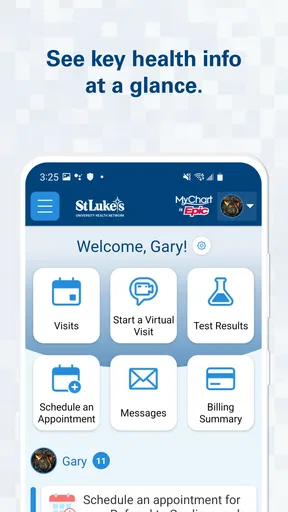
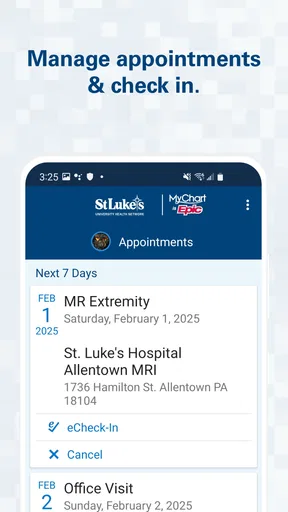
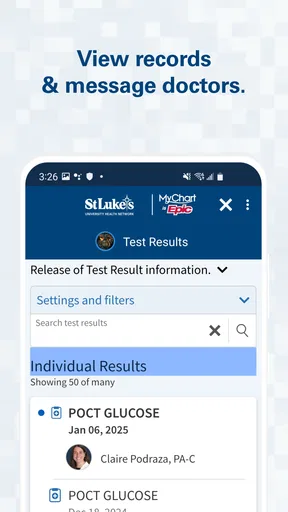
- Quick access to appointments, test results, and medical information
- Secure messaging makes contacting care teams more convenient
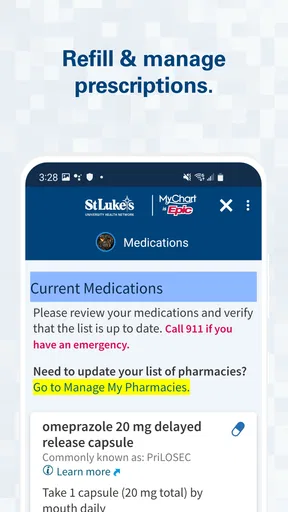
- Prescription details and refills are easy to manage in one place
- Health records can be viewed without calling the clinic
- Useful location and provider information for St. Luke’s facilities
Limitations of St. Luke's
- Some features may only work for St. Luke’s patients and affiliated providers
- Account verification can be time-consuming during initial setup
- Certain results or records may appear with a delay
- The app’s usefulness depends on your local St. Luke’s services
- Notifications may require careful setup to avoid missing updates
Similar Picks in This Category
View All
WebMD: Symptom Checker
WebMD, LLC4.1

Microphone Amplifier
DOSA Apps4.2

Anatomy Learning - 3D Anatomy
3D Medical OU4.5

Period Tracker and Calendar
SimpleInnovation4.9

GoodRx: Prescription Coupons
GoodRx4.8

CVS Health
CVS Pharmacy4.5
Frequently Asked Questions
What is the St. Luke's app used for?
St. Luke’s is designed to help patients manage healthcare services from a mobile device. Depending on the organization and region, the app may let you view appointments, communicate with care teams, review portions of your medical information, request prescription refills, access test results, and find health resources. Available features can vary, so it is worth checking that your local St. Luke’s health system is supported before downloading.
Do I need to be a St. Luke’s patient to use the app?
Most of the app’s personal healthcare features require you to be an established patient with a supported St. Luke’s provider or health network. Registration commonly involves verifying your identity and connecting the app to an existing patient portal account. Some general information, provider searches, location details, or appointment-request tools may be available without full access, but the exact requirements depend on the St. Luke’s organization serving your area.
How do I sign in or create an account in St. Luke's?
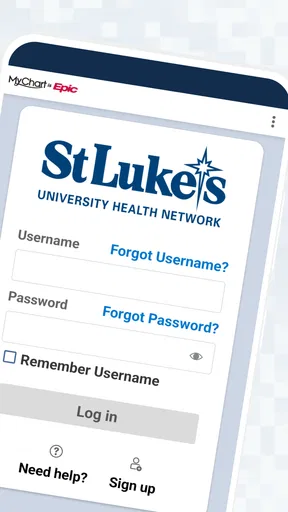
After installing St. Luke’s, you will generally sign in with the credentials associated with the supported patient portal. New users may be able to create an account using an activation code, personal information, or an invitation from their healthcare provider. If you cannot remember your password, use the recovery option inside the app. For identity-verification or enrollment problems, contact the relevant St. Luke’s support team rather than creating multiple accounts.
Can I use St. Luke's to schedule appointments and contact my doctor?
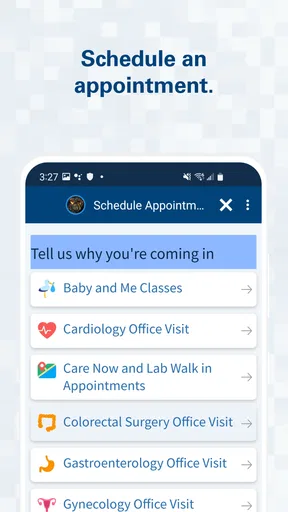
In many supported locations, St. Luke’s provides appointment-management tools, including viewing upcoming visits, requesting or scheduling certain appointments, and receiving reminders. The app may also offer secure messaging with participating care teams, although urgent communication is not its purpose. Appointment types, departments, and messaging availability differ between facilities, so some visits may still require a phone call or in-person scheduling.
Is St. Luke's safe for accessing personal health information?
St. Luke’s is intended to provide secure access to health-related information through an authenticated patient account. You should protect your login details, enable a device passcode or biometric lock, and avoid accessing the account on shared or public devices. The app should not be used for emergencies; call local emergency services for immediate danger. Review the app’s privacy policy and permissions before downloading, since practices may vary by region.
